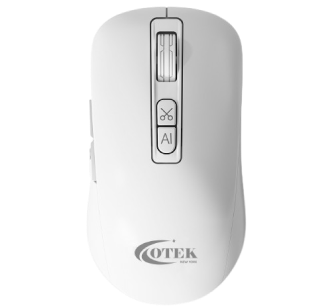
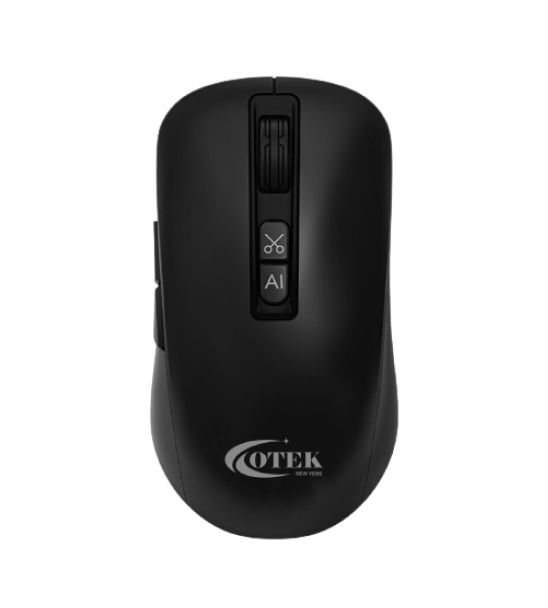
AI Mouse White
-
-
AI Mouse White
AI Mouse White
Elevate your workflow.
Available in
Key Features
- Smart writing
- Voice Typing
- Voice Translation
- OCR Screen shot
- Smart writing
- Voice Typing
- Voice Translation
- OCR Screen shot
Fast Delivery
24*7 support
Buyer Protection
1 Year Warranty
Easy returns
Description
Specification
FAQs
Downloads
Reviews
Description
Product Description
The AirPure 5000 is a state-of-the-art air purifier designed to enhance indoor air quality. With advanced filtration technology, it effectively removes 99.97% of airborne particles, including dust, pollen, smoke, and pet dander. The sleek, modern design fits seamlessly into any living space, while its whisper-quiet operation ensures minimal disruption. Ideal for rooms up to 500 square feet, the AirPure 5000 creates a healthier environment by delivering clean, fresh air.Specification
| Model: | AirPure 5000 |
| Coverage Area: | Up to 500 sq. ft. |
| Filtration System: | Pre-filter, True HEPA filter, Activated carbon filter, UV-C light |
| CADR (Clean Air Delivery Rate): | 250 CFM |
| Noise Level: | 25-50 dB |
| Fan Speeds: | 4-stage control (Low, Medium, High, Turbo) |
| Power Consumption: | 60W |
| Dimensions: | 14.5 x 8.2 x 21 inches |
| Weight: | 12 lbs |
| Warranty: | 1 year + 1 year extended |
FAQs
Possible causes
Poor USB receiver connection
Solution
Plug the USB receiver into another USB port on the computer
Possible causes
Solution
- The mouse is off
- Low battery
- The mouse failed to connect to the computer
Solution
- Turn on the mouse
- Use it after fully charged
- Reconnect the computer using either the USB receiver
Possible causes
Solution
- Software download incomplete or error
- Internet connection failure or poor network quality
- Voice recognition is in the wrong language setup
Solution
- Retry after downloading the correct software
- Check the internet connection to ensure it is functioning properly
- Open the OTEK-AI, go to “Voice Typing” and change the “input language” to the correct language
Possible causes
Solution
- Noisy surroundings
- Speak too softly or loudly
- Speak too quickly or unclear pronunciation
- Too far from the mouse
Solution
- Use it in a quite environment
- Speak at a normal volume
- Speak at a normal rate with clear pronunciation
- Speak to the mouse within a 65cm distance approx
Possible causes
Solution
- Voice recognition is in wrong language
Solution
- Open the OTEK-AI, go to “Translation” Change the “Input Language” and “Output Language” to the correct language.
Possible causes
Solution
- OTEK-AI software needs to obtain macOS system permission
Solution
- Enable microphone access by navigating to system preference > Security and Privacy > Accessibility & Input Monitor & Screen Recording
Downloads
Reviews
“The AirPure 5000 has significantly improved the air quality in my home. My allergies are noticeably better, and the unit is so quiet, I hardly notice it’s on.”
John D. Web Designer
“Great purifier! It does an excellent job at removing odors and keeping the air fresh. The only downside is the cost of replacement filters.”
Sarah L.Engineer
“I’ve been using this purifier for a few months now, and it’s been fantastic. The air feels cleaner, and it’s perfect for my medium-sized living room.”
Michael R. Businessman
Previous
Next
Product Features
Discover the advanced technology and innovative design that set our products apart. Explore key features tailored to enhance your experience and meet your unique needs.
Replace Filter Indicator
Reminder to easily replace filter
OTEK Color Indicator
Automatic monitoring of Air quality
Sleep Mode
Works silently with all light display turned off
1-Year Warranty
Enjoy fresh air, hassle free